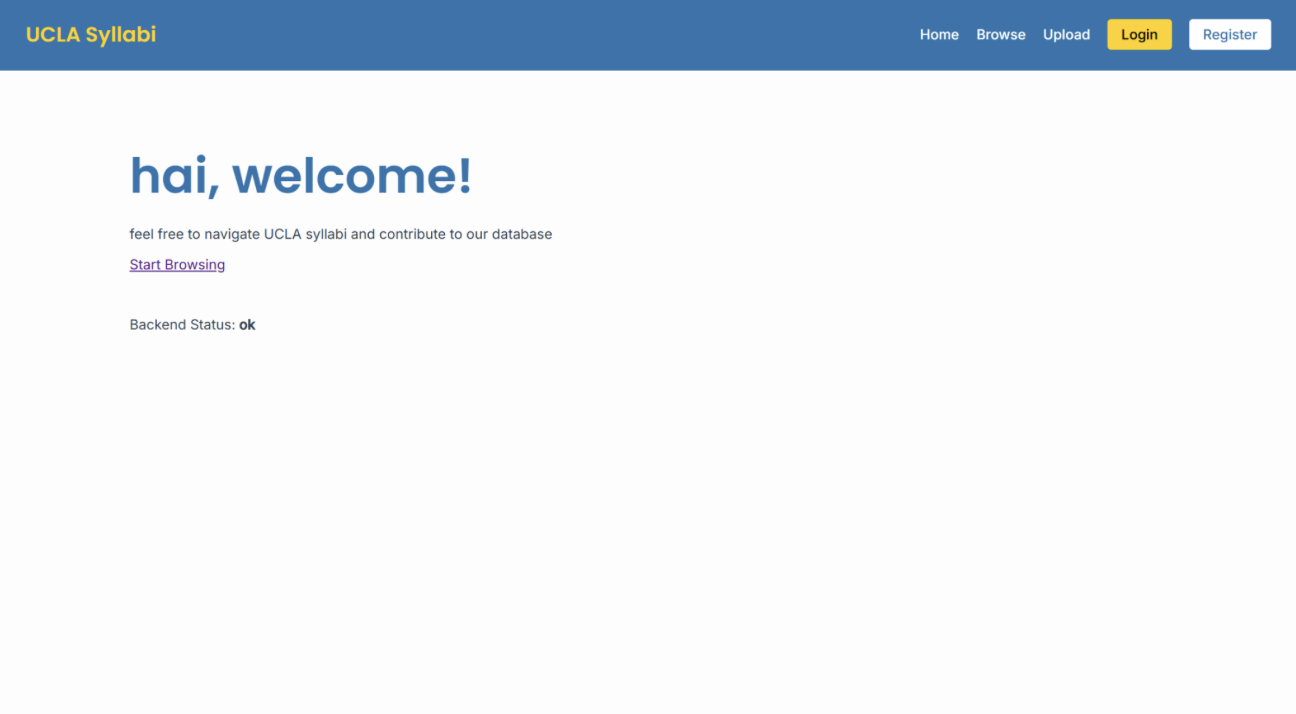
Overview
Finding an old syllabus at UCLA usually means chasing down a Google Drive folder or asking around, especially since professors archive their course dashboards as soon as the class ends. This is our alternative. Students upload syllabi from past quarters, optionally attach the grade they earned, and those grades condense into a visible per-course distribution so you can see a class's workload and grading before you enroll. Access is restricted to UCLA email addresses to keep the data trustworthy. Built by a 5-person team, my teammate and I worked on the frontend.
Stack
Frontend: React 19 with Vite, React Router DOM 7 for client-side routing, all HTTP centralized in one api.js. Backend: Flask, PyJWT for token issuing and verification, Flask-CORS, PostgreSQL on Supabase with syllabus PDFs in Supabase storage. Models: Users, Courses, Syllabi, Favorites, Grade.
What I Built
- Initialized the React app, which included folder structure, core dependencies, React Router setup, and routes for every page
- Created
.env.exampleand aVITE_API_URLvariable so teammates could point the frontend at their own local backend - Wrote the centralized API service that handles auth headers, query-string construction, and browser-level file downloads, with one interface for the whole app
- Added a temporary health-check on the Home page that surfaced backend response status, so the team could see at a glance whether the two halves were talking (which was crucial later on during testing)
- Built Login and Register with controlled inputs, per-request submitting state that disables the button, API error display, and redirect on success
- Included regex validation,
/^[^\s@]+@(ucla\.edu|g\.ucla\.edu)$/, which rejects non-UCLA emails before the form submits - Built the Browse page, including four filter fields (department, course number, professor, year) plus quarter and sort-order dropdowns, with a
useEffectwatching all filter state and callingfetchSyllabiwith the filters as query params - Added a loading skeleton so users see placeholder cards instead of a blank screen, an error banner for an unreachable API, and year validation
- Built the nav bar, which reads the JWT from
localStorageand conditionally renders Login/Register or Logout. Logout clears the token and redirects - Had the flexibility to maintain visual consistency across pages, with the CSS, UCLA color palette, and shared card styling
Problems Worth Noting
- Shifting API: the backend hadn't finalized the syllabi response or all filter endpoints while I was building Browse, so I built and tested the UI against mock data to lock down layout and interaction logic, then integrated once the real API had stabilized
- Distinct failure states: a network failure and an empty result set look identical to a user, and us as developers, if you're not careful. This is why they're handled as separate cases with different messaging
Why It Mattered
On a small team, the frontend conventions set in the beginning preface how smoothly everyone's work plays out afterward. Centralizing API calls and auth state up front, and getting the frontend actually usable against mock data, meant our teammates could build with a stable interface, and frontend progress didn't have to wait on backend.